
 |
FAQ |
Mail - What is it intended for?
The Site Mail mechanism is designed to facilitate communication amongst the District IV membership within the scope of D4Soccer.org and address some of the shortcomings of Email (i.e. the inability to verify the delivery of an Email Message). It is NOT intended to be a replacement for conventional Email.
This Site Mail mechanism has replaced the old Notice System that was formally utilized to inform individual Team Points of Contact (POC) (Notify them) of something important that is pertinent to them on the District IV website. Typically it involved a change of some sort to a particular match. The Notice System was removed from the District IV website in Jun 2009.
Click here for a complete Overview of D4 Website Mail System
What will Happen?
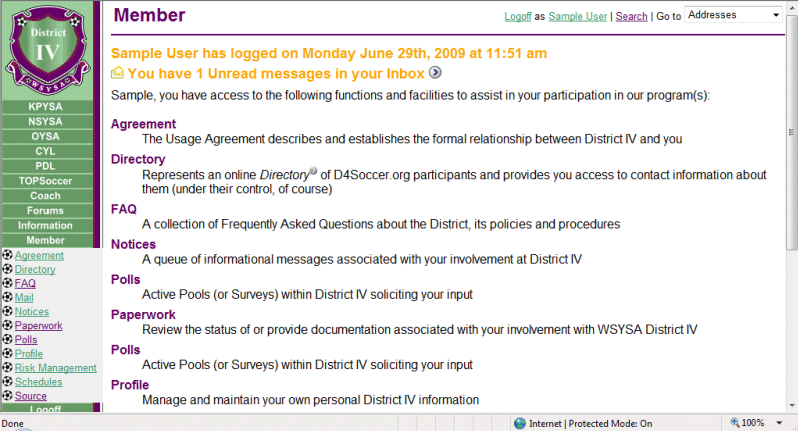
Every time you Log on to the District IV website, the system will check to see if you have any new Mail. If the system detects any new Mail for you, it will automatically let you know that new Mail is waiting for you. {See example below}
Mail - Inbox
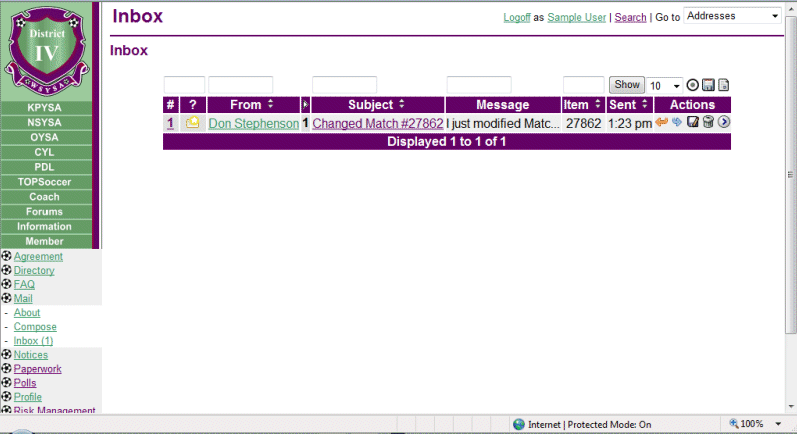
To get to your Mail Inbox, simply click on the Action Button  in the header telling you there is Mail in your Inbox or click on Member: Mail - Inbox {see sample Inbox Display below}
To Open a Mail Message
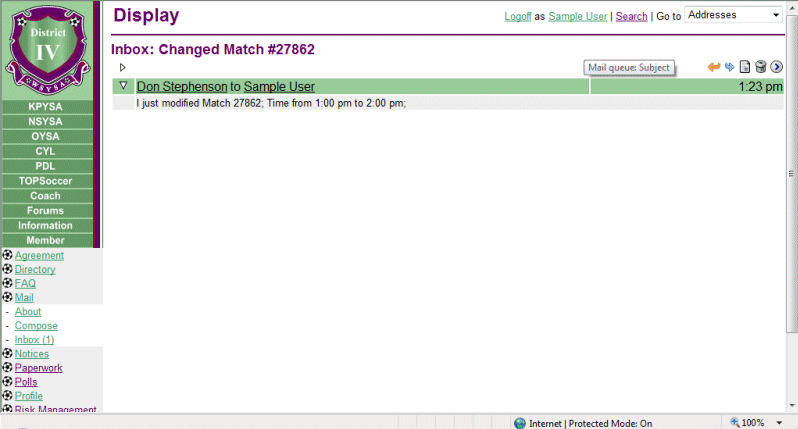
To Open a particular Mail Message listed in your Inbox, simply click on the # at the far left of that message line in your Inbox. The system will then display the actual Message {see Open Message below}
Mail Pertaining to Match Change Information
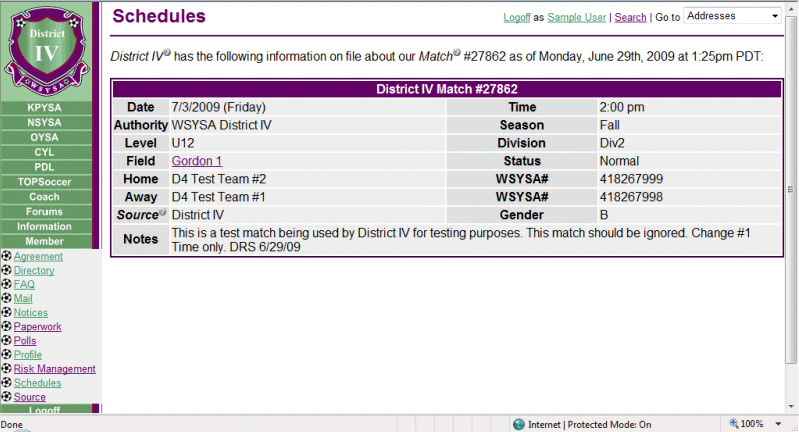
If a message in your Inbox pertains to a Match Change, you can immediately display the Match Information for the match in question by simply clicking on the Action Button displayed at the far right of that message or by clicking the same Action Button displayed at the far right of that message line in your Inbox. The system will then display all the pertinent match information for this match {see sample Match Information Display below}
How to use the Mail System?
Again, the Site Mail mechanism is designed to facilitate communication amongst the District IV membership within the scope of D4Soccer.org and Site Mail can be Sent/Forwarded to anyone listed in the District IV Member Directory.
Remember, to be listed in the Member Directory -
- the individual must have a record in the District IV Users Table
AND
- the individual must have logged on and agreed to the District IV Member Agreement.
Click here for a complete Overview of D4 Website Mail System
| Copyright © 2026 by Northwest Sound Youth Soccer Association/webmaster@NSYSASoccer.org |  |